Running an event, a conference or a show?
Just drop in all your slides and videos… and GO!
Cuey. The app that runs your event’s screen — with peace of mind.
Designed slides in Canva? Edited videos in CapCut? A YouTube link and more…It all goes into Cuey — and your event is ready in minutes!
The screen is the easy part. Running it isn't.
Every event has a screen — and someone who has to make the right video appear at the right moment. Cuey is built for that person, not for a video technician.
One button. GO.
Space, Enter, or the big green button. The next cue plays. Nothing else to think about.
Looks professional
Clean cuts or smooth dissolves between every cue. Loop a video. Hold a slide. Fade to black.
See it before the room does
PROGRAM shows exactly what's on the event screens. NEXT shows what's coming. No surprises.
Works without internet
Your files stay on your computer. No uploads, no account, no Wi-Fi needed in the hall.
Audio, text, trims
Put music under a still. Add a text slide with the speaker's name. Trim a video with IN/OUT — no editor needed.
Paste a YouTube link. GO.
Copy a YouTube or Vimeo link, press Ctrl+V in Cuey — it's a cue. Cuey checks every link before the event (needs internet in the hall).
Came with a PDF or PowerPoint?
Drop a PDF (Canva exports one in a click) and every page becomes a slide. Drop a PowerPoint and Cuey pulls out its videos.
Start free
Everything you need to run a show — try it free, no limits on cues. A small "Powered by Cuey" sits in the corner of the screen — remove it for a one-time $12 whenever you like.
From programme to ready slides — in one click.
Upload your event programme — PDF, picture, Word or text — and AI Builder builds the whole run of screens: walk-in, opening, tonight’s programme, a caption for every speaker and the closing. All that’s left is to press GO.
- Keeps your programme’s design language — colours, graphics and logo — and makes it breathe gently
- Never invents names or times — only what your programme says
- Everything stays editable: change text, colour or background like any cue
Cuey at real events
Not a mockup — this is Cuey running the opening of a conference: three LED screens in the hall, one laptop, one GO.
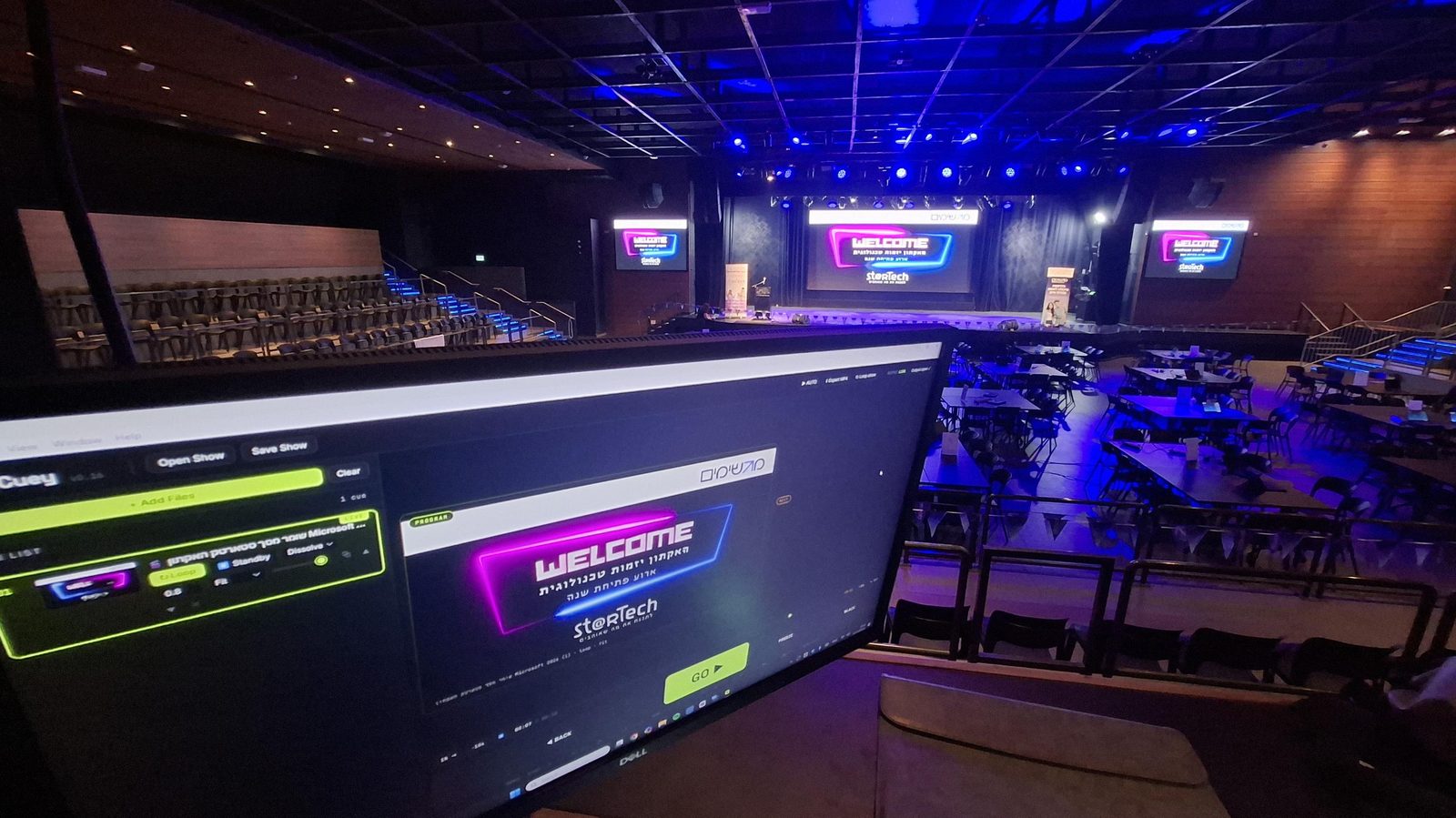
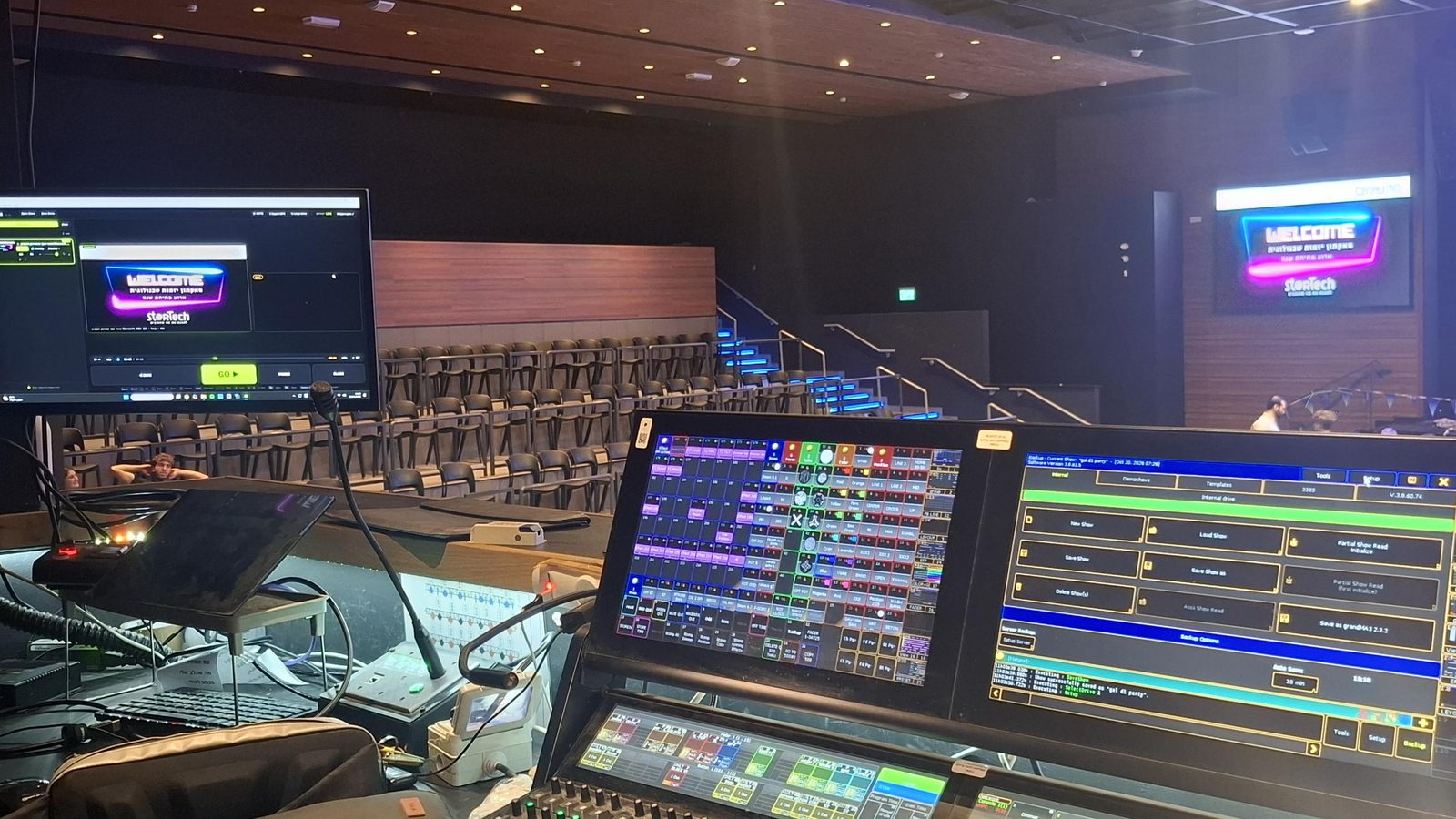
Ran an event with Cuey? Send a photo and we'll add it here.
From people who already ran a show
Teachers, producers, studio owners and crew — all running shows with one GO.
"For years I've run my studio's shows, and every year I struggled with VLC and the videos. With Cuey I built the whole show in 10 minutes — I was calm and everything just clicked."
"I used to book a VJ for every event and pay thousands. Now I build the event's running order in Cuey, plug in the laptop and hit GO. It saves money and gives me peace of mind."
"I'm in charge of the end-of-year parties. Before each one I used to stress about opening the videos on time and PowerPoint crashing on me. With Cuey I feel like a pro!"
"At every event people would bring me photos and videos to loop on screen, and I had to open all kinds of programs. Now I drop everything into Cuey, set it to loop, and that's it — it just runs!"
How it works
Three steps. Five minutes before the event is enough.
Drop your files in
Videos (MP4, MOV, WEBM) and slides (JPG, PNG). Export from Canva or CapCut, drag into Cuey, reorder by dragging.
Plug in the screen
Connect the event screen — an LED wall or a TV. Cuey opens the Output window on it, full screen, by itself.
Press GO
Space advances. B is black. ← goes back. That's all anyone needs to know.
What you get in each plan
Start free and run a whole event. Pay once for Studio — your screen, not ours. Pro is coming.
| Free$0 | Studio$12 · once | Prosoon | |
|---|---|---|---|
| Run a whole event — free | |||
| Unlimited cue list — videos, pictures, music, PDF & PowerPoint | ✓ | ✓ | ✓ |
| GO, cut & dissolve, loop, trims, music under slides | ✓ | ✓ | ✓ |
| Create cue — text on a colour or your own picture / video | ✓ | ✓ | ✓ |
| Works offline · Mac, Windows & browser | ✓ | ✓ | ✓ |
| Share screen to a tablet or TV (free account) | 1 screen | Unlimited | Unlimited |
| Studio — your screen, not ours | |||
| No “Powered by Cuey” on the event screen | — | ✓ | ✓ |
| YouTube & Vimeo on the event screen | Preview | ✓ | ✓ |
| Free backgrounds library — photos & moving loops | Preview | ✓ | ✓ |
| Slide show — runs and loops by itself | Preview | ✓ | ✓ |
| Export MP4 — the whole show as one video | — | ✓ | ✓ |
| Pro — coming | |||
| AI Builder — from programme to ready slides in its own design, in one click | — | — | Beta — open now |
| Design in Canva from inside Cuey | — | — | soon |
| Work on a show together | — | — | soon |
Studio is free during the beta — just sign in inside Cuey. “Preview” = build it and watch it in Cuey; it goes to the event screen with Studio. Prices in USD; VAT added where required.
Cuey for desktop
Download Cuey to your computer today — your event runs from it on its own, even without internet. Free, for Mac and Windows.
Cuey runs on the computer that connects to the screen — Mac, Windows or any computer browser. The phone app is coming soon to the stores. Send yourself the link to Cuey for desktop:
📱 Cuey app — coming soon to the App Store and Google Play
Other versions: Mac · Apple Silicon · Mac · Intel · Windows
Mac: opening it the first time
early builds aren't notarized by Apple yet, so macOS may say the app "is damaged". It isn't. Drag Cuey to Applications, open Terminal and pastexattr -cr /Applications/Cuey.app, then open it normally.